12:54
Reddit plans to restrict browsing without an account

11:39
Binance pledges to cover losses after $6.3 billion breach

15:53
New iPhone Air 2 leak reveals more details about Apple's next ultra-thin phone

15:01
Claude can now report employees’ AI spending to their bosses

13:19
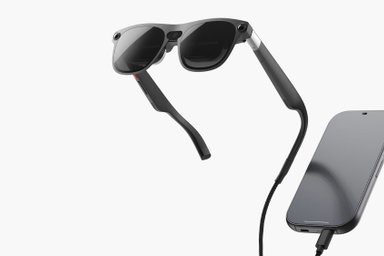
XREAL launches the first Android XR glasses with Gemini and virtual screens

22:54
Apple unveils MacBook Pro with touchscreen OLED display and Dynamic Island
12:54
Reddit plans to restrict browsing without an account
11:39
Binance pledges to cover losses after $6.3 billion breach
15:53
New iPhone Air 2 leak reveals more details about Apple's next ultra-thin phone
15:01
Claude can now report employees’ AI spending to their bosses
13:19
XREAL launches the first Android XR glasses with Gemini and virtual screens
22:54
Apple unveils MacBook Pro with touchscreen OLED display and Dynamic Island
12:54
Reddit plans to restrict browsing without an account
11:39
Binance pledges to cover losses after $6.3 billion breach
15:53
New iPhone Air 2 leak reveals more details about Apple's next ultra-thin phone
15:01
Claude can now report employees’ AI spending to their bosses
13:19
XREAL launches the first Android XR glasses with Gemini and virtual screens
22:54
Apple unveils MacBook Pro with touchscreen OLED display and Dynamic Island
12:54
Reddit plans to restrict browsing without an account
11:39
Binance pledges to cover losses after $6.3 billion breach
15:53
New iPhone Air 2 leak reveals more details about Apple's next ultra-thin phone
15:01
Claude can now report employees’ AI spending to their bosses
13:19
XREAL launches the first Android XR glasses with Gemini and virtual screens
22:54
Apple unveils MacBook Pro with touchscreen OLED display and Dynamic Island


Google Chrome now requires up to 20GB of free disk space to run its built-in AI features, Windows Report reports.
The updated system requirements appeared in Google’s support documentation on August 1. Users had already noticed Chrome quietly downloading large files earlier this year, although Google had not explained what they were for at the time.
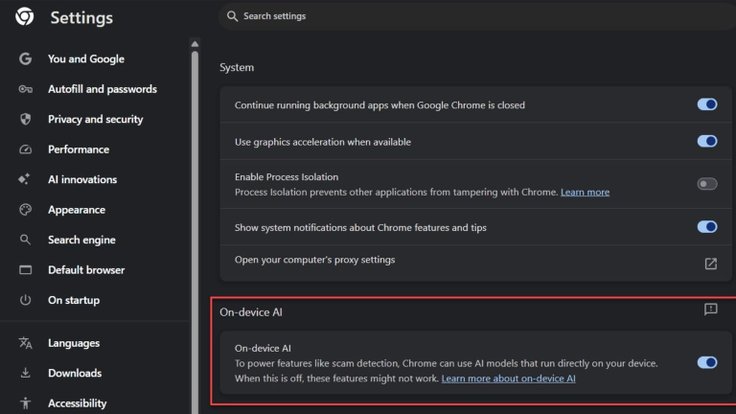
The Gemini Nano models themselves take up around 4GB, while Chrome requires another 16GB as a storage buffer. That makes the requirement particularly noticeable on laptops with smaller SSDs.
Before downloading the models, Chrome checks for a stable internet connection, sufficient free storage and compatible hardware. As a result, on-device AI features are not available on every computer.
Chrome uses its local AI models to power features including Help me write, page summarization and tab organization. Because the models run directly on the device, supported tasks can be processed locally rather than sending the relevant data to remote servers.
Users can disable the feature in Chrome’s System settings by turning off On-device AI. Google advises against manually locating and deleting the model files. Unless on-device AI is disabled through Chrome’s settings, the browser may simply download them again. Organizations can also manage the feature through Chrome Enterprise policies.








Editor’s pick