18:26
Telegram launches Money, its built-in crypto wallet: Here's how it works

15:05
Telegram Desktop vulnerability allowed attackers to steal files with one click

12:33
Anthropic will ban repeated abuse of Claude under new usage rules

12:02
Apple could unveil its first touchscreen MacBook Pro on October 27

11:46
Meta bans TikTok ads on Facebook and Instagram in seven countries

11:25
Apple reportedly cuts iPhone 18 Pro orders just weeks after launch
18:26
Telegram launches Money, its built-in crypto wallet: Here's how it works
15:05
Telegram Desktop vulnerability allowed attackers to steal files with one click
12:33
Anthropic will ban repeated abuse of Claude under new usage rules
12:02
Apple could unveil its first touchscreen MacBook Pro on October 27
11:46
Meta bans TikTok ads on Facebook and Instagram in seven countries
11:25
Apple reportedly cuts iPhone 18 Pro orders just weeks after launch
18:26
Telegram launches Money, its built-in crypto wallet: Here's how it works
15:05
Telegram Desktop vulnerability allowed attackers to steal files with one click
12:33
Anthropic will ban repeated abuse of Claude under new usage rules
12:02
Apple could unveil its first touchscreen MacBook Pro on October 27
11:46
Meta bans TikTok ads on Facebook and Instagram in seven countries
11:25
Apple reportedly cuts iPhone 18 Pro orders just weeks after launch
18:26
Telegram launches Money, its built-in crypto wallet: Here's how it works
15:05
Telegram Desktop vulnerability allowed attackers to steal files with one click
12:33
Anthropic will ban repeated abuse of Claude under new usage rules
12:02
Apple could unveil its first touchscreen MacBook Pro on October 27
11:46
Meta bans TikTok ads on Facebook and Instagram in seven countries
11:25
Apple reportedly cuts iPhone 18 Pro orders just weeks after launch

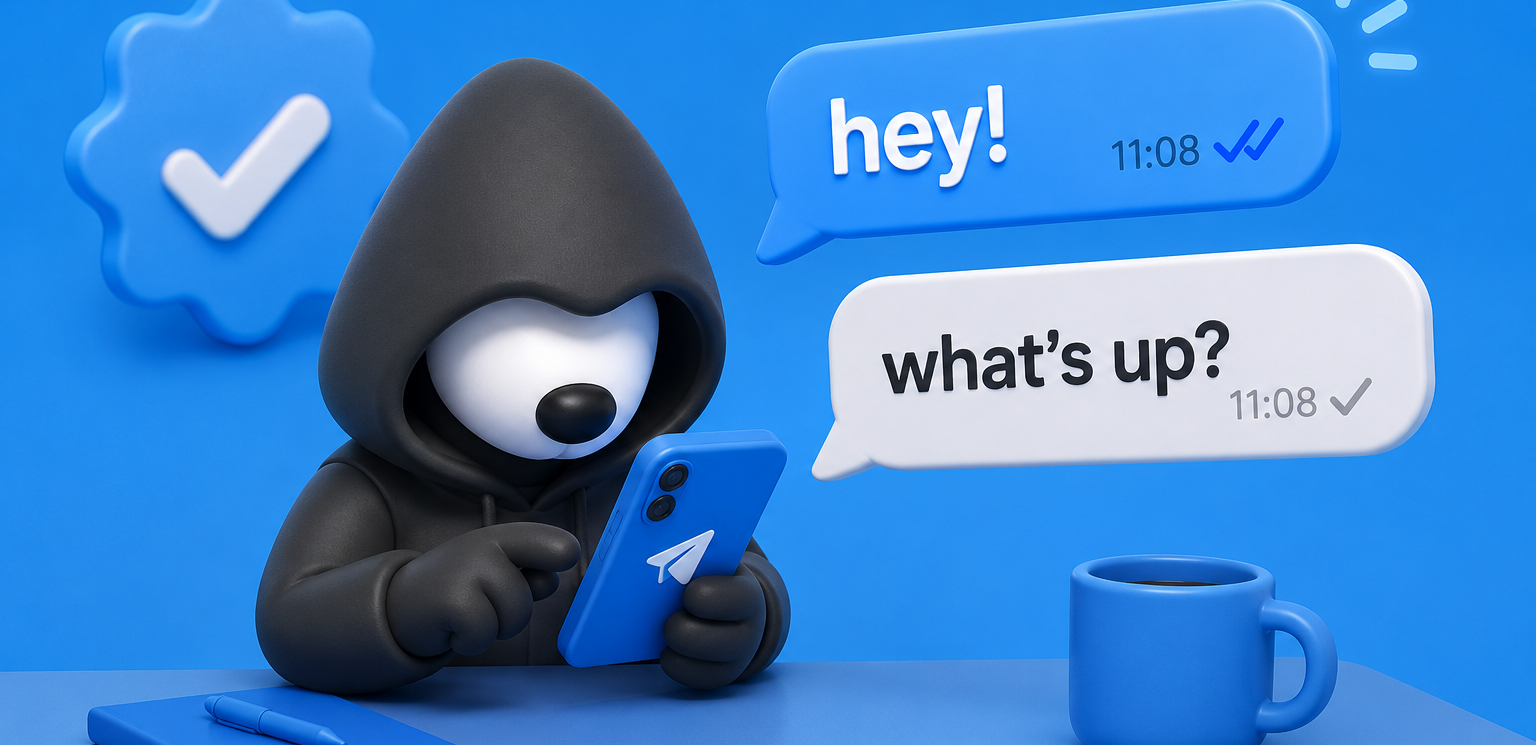
Telegram Check Marks Explained: What the Checks Mean and How Verification Works in 2026
In 2026 Telegram continues to be one of the world’s most popular messengers, but many users still get confused when they see different check marks under their messages or a blue badge next to someone’s name.
Is the message really delivered? Does the blue checkmark mean the account is completely safe? We’re explaining everything step by step so you can use Telegram confidently and protect yourself from scams and impersonators.
What Do the Message Check Marks Actually Mean?
Let’s start with the simplest thing that confuses almost every beginner.
When you send a message in Telegram you see one of these statuses right away:
- Clock icon — the message is still being sent from your device.
- One gray check — the message has reached Telegram’s cloud servers. It no longer depends on your internet connection.
- Two gray checks — the message has been delivered to the recipient’s device. They have been notified (if notifications are turned on).
- Two blue checks — the recipient has opened the chat and actually seen the message.
Important to note: the moment the check marks turn from one to two does not always mean the person is online right now. Telegram works in the cloud, so the message can be delivered even if the user is offline. The app simply syncs everything as soon as they open it. That’s why some people notice that “interesting” messages get two checks much faster — the recipient opens the app quicker when the topic excites them.
If you edit a message while it still shows only one check, the recipient will see the edited version once they receive it. They won’t get any special “edited” notification while the message is still pending on the server.
The Blue Checkmark: What the Official Verification Badge Really Means
The blue checkmark next to a channel, group or bot name is Telegram’s official confirmation that this is the real account of a public figure, brand or organization. It appears on the profile, in search results and in chat lists so users can instantly distinguish the genuine source from dozens of copycat scams.
Verification does not give any extra features inside the app. It simply proves authenticity. Telegram does not verify regular user accounts at all — only large and active official channels, public groups and bots can apply.
Why verification matters:
- Increases trust among users, partners and investors
- Protects against impersonation and phishing scams
- Strengthens brand visibility in competitive niches (especially crypto and business)
- Helps journalists and researchers quickly identify official sources
How to Get the Official Blue Checkmark: Standard Process via @VerifyBot
Here’s exactly what you need to do in 2026 if you want the blue badge:
- Make sure your channel, group or bot is active and clearly represents a public figure or organization.
- Prepare the required proofs:
- At least two verified accounts on other platforms (TikTok, Instagram, Facebook, YouTube, X/Twitter, VK or Snapchat). Don’t forget to add a direct link to your Telegram channel/bot/group in the bio of each.
- Additional evidence such as credible press articles or a Wikipedia page (these help strengthen your application).
3. Open Telegram and start a chat with the official bot @VerifyBot.
4. Follow the bot’s prompts carefully:
- Send your exact Telegram handle
- Provide links to the two verified social profiles (use twitter.com links — the bot ignores x.com)
- Paste supporting links (press articles or Wikipedia) in one single message
5. Wait for Telegram’s moderation team to review your application. There is no fixed timeline. If everything is correct, you will receive the notification: “Congratulations! @yourhandle is now verified on Telegram.” The blue checkmark appears automatically.
Important to note: Verified accounts cannot change their name or username (t.me/…) without first removing verification. To do that, contact @VerifyBot and send /unverify, make the changes, then apply again.
Special Cases: Wikipedia, Official Websites and TON Accelerated Verification
If you don’t have two verified social accounts:
- An undisputed Wikipedia page that follows Wikipedia’s Notability Guidelines and contains a link to your Telegram channel can replace one of the missing social proofs.
- For organizations, a direct link to the Telegram channel from the official website also helps.
For projects in the TON ecosystem there is an accelerated path. After successful submission via @VerifyBot you can fill out the TON Builders Portal form. The TON Foundation pre-screens your application, bundles all evidence and advocates with Telegram moderators.
Strict requirements for TON accelerated verification:
- 1 million+ total users (with proof from analytics)
- Clear use of TON blockchain and contribution to the ecosystem
- Integration of Telegram Mini Apps SDK
- Decent UX/UI following Android and Apple design guidelines
- Privacy Policy available inside the bot and Mini App
- Strong motivation (for example, hundreds of scam clones stealing user funds)
Special rule for channels: they need over 100,000 real subscribers and a clear connection to a fully compliant bot.
Third-Party Verification: The Extra Safety Layer Launched in Early 2025
In early 2025 (January/February) Telegram introduced an additional decentralized verification system to fight scams even more effectively.
Here’s how it works:
- Only accounts that already have the official blue checkmark can apply.
- Sector-specific organizations (educational bodies, regulators, food-quality watchdogs and others) assign their own unique icons or stickers.
- The custom icon appears before the name, and the profile shows exactly who verified the account and under which standards.
- Third-party verifiers must have their own verified Telegram bot and follow Telegram’s Terms of Service.
- Businesses can manage the process through Telegram’s Bot API.
This gives users extra confidence — for example, a carrot icon next to a restaurant channel means a recognized food regulator has confirmed its legitimacy.
Quick Comparison of All Verification Types
Practical Tips and Common Pitfalls to Avoid
- Never split supporting links into multiple messages when talking to @VerifyBot.
- Double-check every link and screenshot before submitting — broken links cause instant rejection.
- Choose a unique name; similar names (like multiple “Yescoin” bots) lead to delays until ownership is proven.
- Take a clear screenshot of the @VerifyBot confirmation message — you will need it for the TON Builders Portal.
- Remember: verification is not an endorsement of any opinions or content. It only confirms official ownership.
For regular users: always check the profile for the blue checkmark and any third-party icons before clicking links, sending money or sharing personal data.
Final Advice
Understanding both the simple message check marks and the full verification system helps you use Telegram safely and effectively in 2026. Regular users should treat any message from an unverified account with healthy skepticism, especially if it asks for codes, money or personal information. Account owners who want verification should first build a strong presence on other platforms and collect quality supporting evidence — that remains the most reliable path.
Regularly update the app, enable two-factor authentication and check profiles carefully. These simple habits will protect you from the majority of scams that still appear every day. Stay informed and use Telegram with confidence.





Editor’s pick