18:26
Telegram launches Money, its built-in crypto wallet: Here's how it works

15:05
Telegram Desktop vulnerability allowed attackers to steal files with one click

12:33
Anthropic will ban repeated abuse of Claude under new usage rules

12:02
Apple could unveil its first touchscreen MacBook Pro on October 27

11:46
Meta bans TikTok ads on Facebook and Instagram in seven countries

11:25
Apple reportedly cuts iPhone 18 Pro orders just weeks after launch
18:26
Telegram launches Money, its built-in crypto wallet: Here's how it works
15:05
Telegram Desktop vulnerability allowed attackers to steal files with one click
12:33
Anthropic will ban repeated abuse of Claude under new usage rules
12:02
Apple could unveil its first touchscreen MacBook Pro on October 27
11:46
Meta bans TikTok ads on Facebook and Instagram in seven countries
11:25
Apple reportedly cuts iPhone 18 Pro orders just weeks after launch
18:26
Telegram launches Money, its built-in crypto wallet: Here's how it works
15:05
Telegram Desktop vulnerability allowed attackers to steal files with one click
12:33
Anthropic will ban repeated abuse of Claude under new usage rules
12:02
Apple could unveil its first touchscreen MacBook Pro on October 27
11:46
Meta bans TikTok ads on Facebook and Instagram in seven countries
11:25
Apple reportedly cuts iPhone 18 Pro orders just weeks after launch
18:26
Telegram launches Money, its built-in crypto wallet: Here's how it works
15:05
Telegram Desktop vulnerability allowed attackers to steal files with one click
12:33
Anthropic will ban repeated abuse of Claude under new usage rules
12:02
Apple could unveil its first touchscreen MacBook Pro on October 27
11:46
Meta bans TikTok ads on Facebook and Instagram in seven countries
11:25
Apple reportedly cuts iPhone 18 Pro orders just weeks after launch

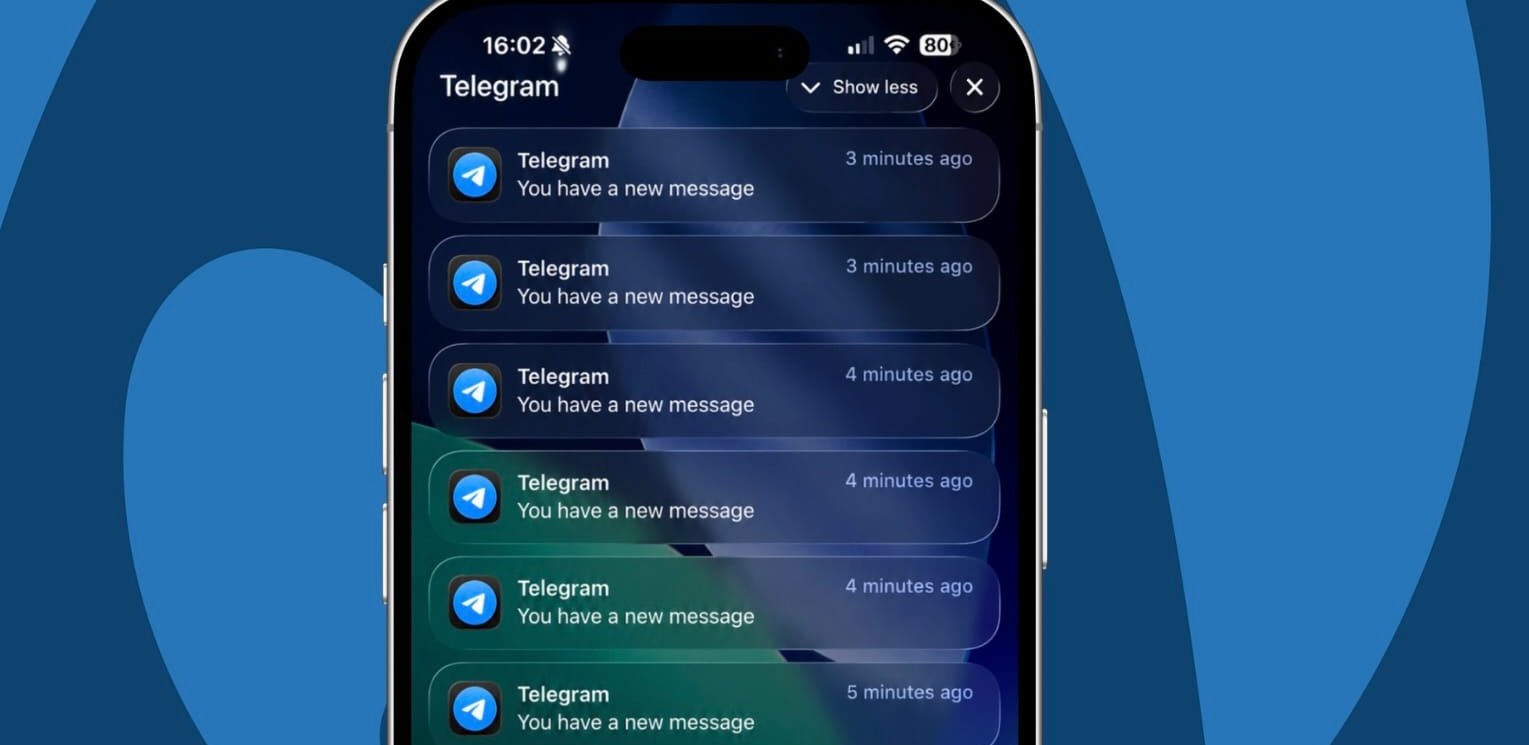
Telegram bug causes iPhone overheating and hundreds of fake notifications. How to fix it
Telegram users are reporting issues with the iPhone and iPad app, where the messenger starts sending large numbers of duplicate push notifications and causes devices to overheat.
In some cases, users receive dozens or even hundreds of notifications saying “You have a new message” even though there are no new messages in Telegram.
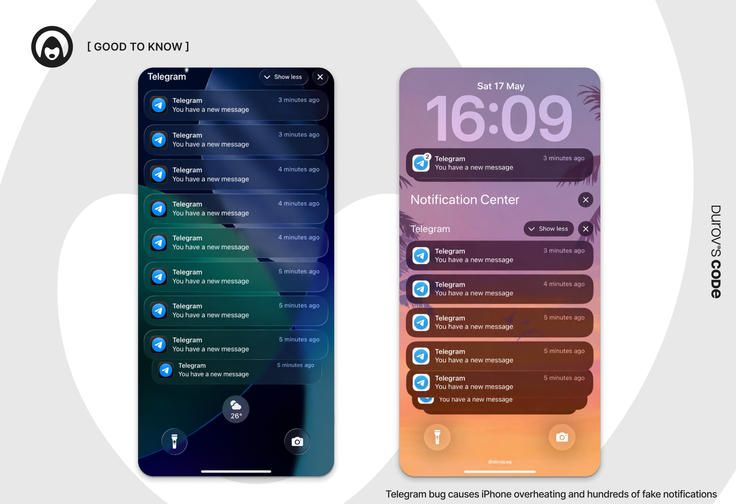
- The alerts do not appear to be linked to real activity in the app — tapping them does not open anything, and the same notifications can continue appearing every minute.
- The issue was also observed by Durov’s Code. Alongside the notification spam, an affected iPhone or iPad may become unusually hot, in some cases causing the device to temporarily pause charging until the temperature drops.
- Several Telegram users contacted by Durov’s Code confirmed experiencing similar problems recently. The issue also appeared on a device running Telegram version 12.9 after the latest app update.
“My iPad has been affected for about a month. I only noticed it once on my iPhone, but I switch between beta and stable iOS versions,” one user told Durov’s Code.
Based on user reports, the bug appears on both stable iOS releases and public beta versions, suggesting the problem is likely related to the Telegram app rather than a specific iOS build.
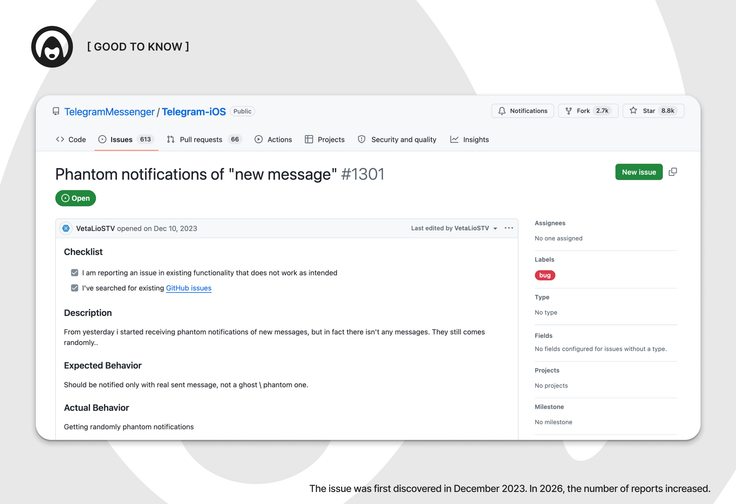
Reports of the issue have been circulating online for several months. In late May, the administrator of the Telegram channel @plachutech reported similar fake notifications and severe overheating on an iPhone.

By summer, similar cases became more frequent. The overheating was severe enough in one instance that the iPhone was charged using a game controller with a built-in cooling system, while Telegram was also linked to unusually fast battery drain:
“11% in half an hour. The iPhone was sitting aside, I wasn’t even using it.”
How to fix Telegram overheating and notification issues on iPhone
For now, the most effective solution appears to be deleting Telegram and reinstalling the app.
Before reinstalling:
- Clear Telegram’s cache: Settings → Data and Storage → Storage Usage.
- Make sure you can log back into your accounts. The login code may be sent to another device or email. If two-step verification is enabled, you will also need your cloud password.
- Delete Telegram from your device.
- Download Telegram again from the App Store.
- Sign back into your accounts.
 Vlad Voitenko
According to Durov’s Code, reinstalling Telegram can resolve the issue, but in some cases only temporarily — some users reported that the bug returned after 7–14 days.
It is still unclear when Telegram will release a permanent fix. Even if the problem disappears after reinstalling the app, it does not necessarily mean the underlying bug has been fixed, as the issue may occur intermittently.









Editor’s pick