18:26
Telegram launches Money, its built-in crypto wallet: Here's how it works

15:05
Telegram Desktop vulnerability allowed attackers to steal files with one click

12:33
Anthropic will ban repeated abuse of Claude under new usage rules

12:02
Apple could unveil its first touchscreen MacBook Pro on October 27

11:46
Meta bans TikTok ads on Facebook and Instagram in seven countries

11:25
Apple reportedly cuts iPhone 18 Pro orders just weeks after launch
18:26
Telegram launches Money, its built-in crypto wallet: Here's how it works
15:05
Telegram Desktop vulnerability allowed attackers to steal files with one click
12:33
Anthropic will ban repeated abuse of Claude under new usage rules
12:02
Apple could unveil its first touchscreen MacBook Pro on October 27
11:46
Meta bans TikTok ads on Facebook and Instagram in seven countries
11:25
Apple reportedly cuts iPhone 18 Pro orders just weeks after launch
18:26
Telegram launches Money, its built-in crypto wallet: Here's how it works
15:05
Telegram Desktop vulnerability allowed attackers to steal files with one click
12:33
Anthropic will ban repeated abuse of Claude under new usage rules
12:02
Apple could unveil its first touchscreen MacBook Pro on October 27
11:46
Meta bans TikTok ads on Facebook and Instagram in seven countries
11:25
Apple reportedly cuts iPhone 18 Pro orders just weeks after launch
18:26
Telegram launches Money, its built-in crypto wallet: Here's how it works
15:05
Telegram Desktop vulnerability allowed attackers to steal files with one click
12:33
Anthropic will ban repeated abuse of Claude under new usage rules
12:02
Apple could unveil its first touchscreen MacBook Pro on October 27
11:46
Meta bans TikTok ads on Facebook and Instagram in seven countries
11:25
Apple reportedly cuts iPhone 18 Pro orders just weeks after launch


The stable versions of Telegram for iOS and Android have introduced support for logging in using passkeys.
To enable the new option, users need to open Telegram Settings, go to the Privacy section and select Passkey.
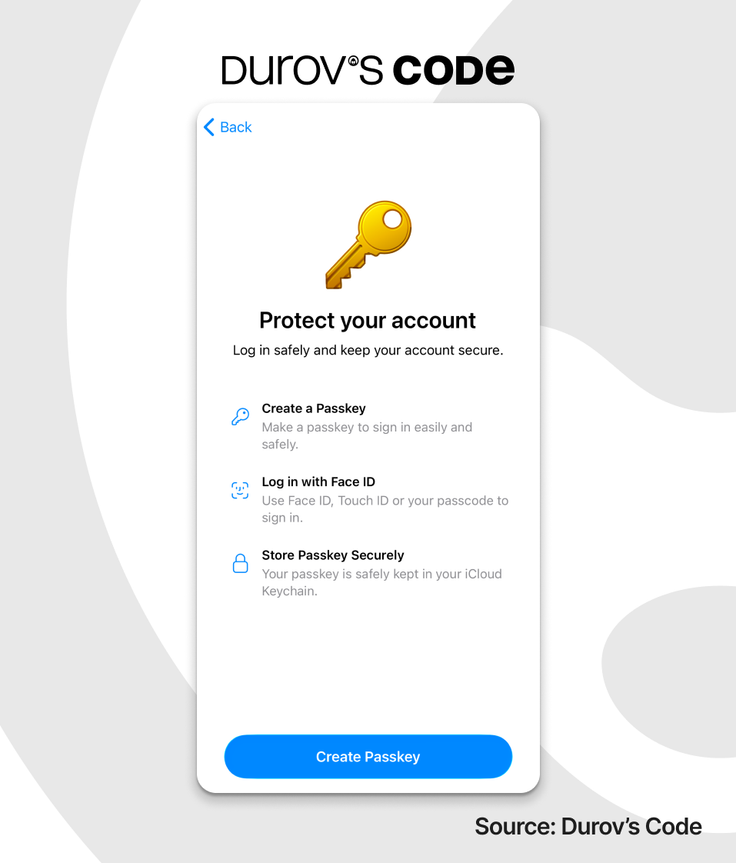
- A passkey is a device-stored authentication key managed through password managers. The feature works with password managers from Google, Apple, Samsung and several others.
- The login key is stored locally on the device and lets users sign in without any additional SMS codes or passwords.
Passkeys can be managed directly in the Privacy settings. To authenticate, users simply confirm their identity with Face ID, a fingerprint scan or their device passcode.
Durov’s Code first reported the testing of this feature in the beta version in early December. A short time later, Telegram rolled it out in the public releases of its apps.
Telegram to add passkey login support
Telegram is testing passkey-based login.
 Daria Ivanova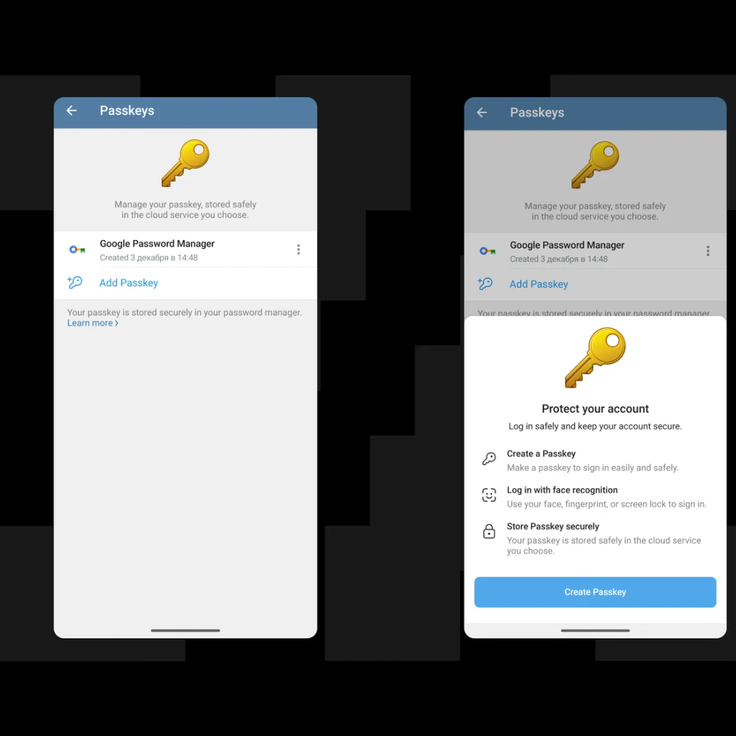









Editor’s pick