14:26
Australia prepares legal action against social media giants over under-16 ban

13:54
You can reserve Tesla’s new Roadster in the UAE for Dh210,000

12:49
Is AI getting out of control? Kaspersky on the risks that matter

18:26
Telegram launches Money, its built-in crypto wallet: Here's how it works

15:05
Telegram Desktop vulnerability allowed attackers to steal files with one click

12:33
Anthropic will ban repeated abuse of Claude under new usage rules
14:26
Australia prepares legal action against social media giants over under-16 ban
13:54
You can reserve Tesla’s new Roadster in the UAE for Dh210,000
12:49
Is AI getting out of control? Kaspersky on the risks that matter
18:26
Telegram launches Money, its built-in crypto wallet: Here's how it works
15:05
Telegram Desktop vulnerability allowed attackers to steal files with one click
12:33
Anthropic will ban repeated abuse of Claude under new usage rules
14:26
Australia prepares legal action against social media giants over under-16 ban
13:54
You can reserve Tesla’s new Roadster in the UAE for Dh210,000
12:49
Is AI getting out of control? Kaspersky on the risks that matter
18:26
Telegram launches Money, its built-in crypto wallet: Here's how it works
15:05
Telegram Desktop vulnerability allowed attackers to steal files with one click
12:33
Anthropic will ban repeated abuse of Claude under new usage rules
14:26
Australia prepares legal action against social media giants over under-16 ban
13:54
You can reserve Tesla’s new Roadster in the UAE for Dh210,000
12:49
Is AI getting out of control? Kaspersky on the risks that matter
18:26
Telegram launches Money, its built-in crypto wallet: Here's how it works
15:05
Telegram Desktop vulnerability allowed attackers to steal files with one click
12:33
Anthropic will ban repeated abuse of Claude under new usage rules

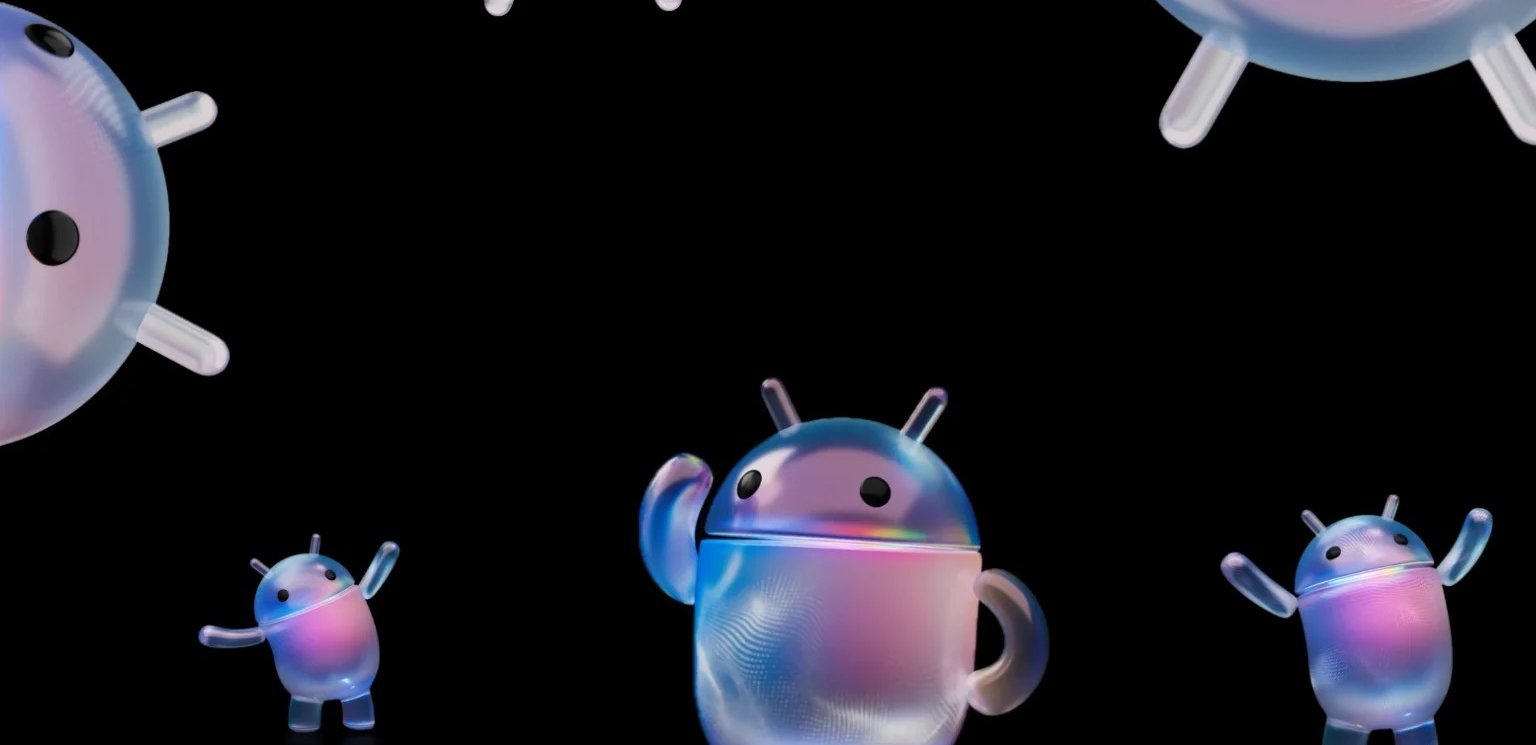
Google has unveiled Android 17 at its annual The Android Show event on May 12, introducing a wide range of new features focused on artificial intelligence, content creation, privacy, and deeper integration across devices. Here is a breakdown of the most notable announcements.
Screen Reactions: built-in reaction recording
A new feature called Screen Reactions allows users to simultaneously record themselves and their screen, then overlay their reaction directly onto videos, comments, or other on-screen content.
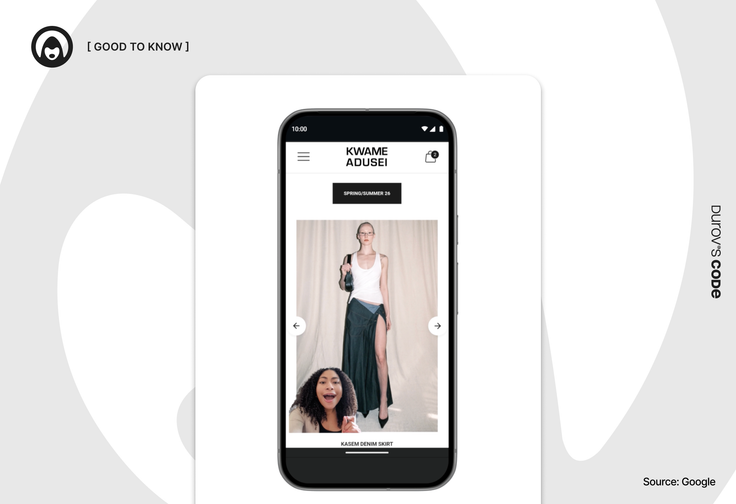
The tool essentially functions as a built-in green-screen, removing the need to export footage between apps or manually sync audio with video.
Exclusive updates for social media apps
Instagram is receiving several Android 17-exclusive enhancements, including support for Ultra HDR, built-in video stabilization, and integration with Night Sight to improve photos and videos taken on Android smartphones.
The app will also gain AI-based features unique to Android 17, including on-device video upscaling and audio separation that can isolate wind noise, background sounds, and music. Google says the app has been fully optimized for tablets running Android 17.
Pause Point: a new Digital Wellbeing tool
Android 17 introduces Pause Point, a new addition to the Digital Wellbeing suite designed to reduce mindless app use. The feature is intended to replace traditional app timers, which require users to set time limits in advance.
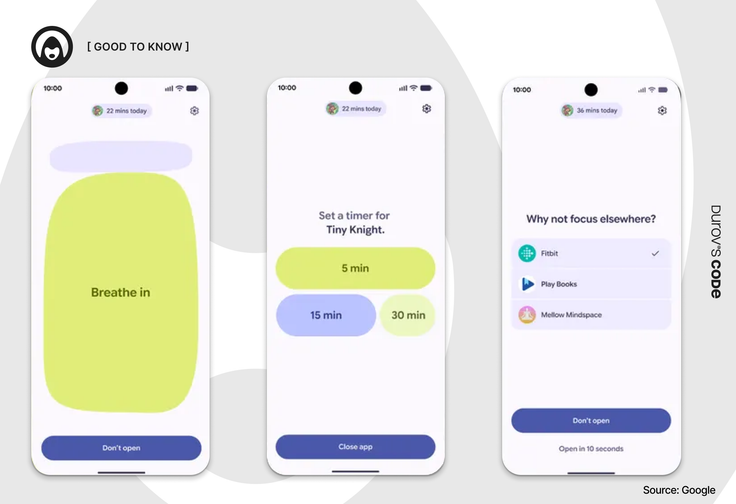
Instead of enforcing hard time restrictions, Pause Point works in the moment. Users select the apps they consider distracting, and when they try to open one, Android shows a brief pause and offers alternatives such as a breathing exercise, a slideshow of personal memories, or a quick in-app timer.
According to Google, these 10-second pauses are intended to make the act of opening an app a more conscious decision.
Gemini Intelligence
Gemini Intelligence is the umbrella term for a new set of AI features rolling out on premium Android devices. The system is built around a new visual language based on Material 3 Expressive, which signals when Gemini is listening, thinking, or executing a task.
Gemini Intelligence is designed to handle more complex, context-aware tasks. For example, the assistant can read a shopping list from the Notes app and assemble a delivery cart from it, or analyze a photo of a travel brochure to find a similar tour for a group of six.
A new Gboard feature called Rambler offers improved voice input powered by Gemini. The system understands pauses, repetitions, self-corrections, and filler words, allowing users to dictate naturally while the AI cleans up the final text. Gemini Intelligence will also be able to generate custom widgets for Android.
Googlebook
Google has also announced Googlebook, a new line of premium computers built specifically around Gemini Intelligence and ChromeOS. One of the key features, Magic Pointer, allows users to select any object on the screen and either ask Gemini a question about it or add it to a prompt.
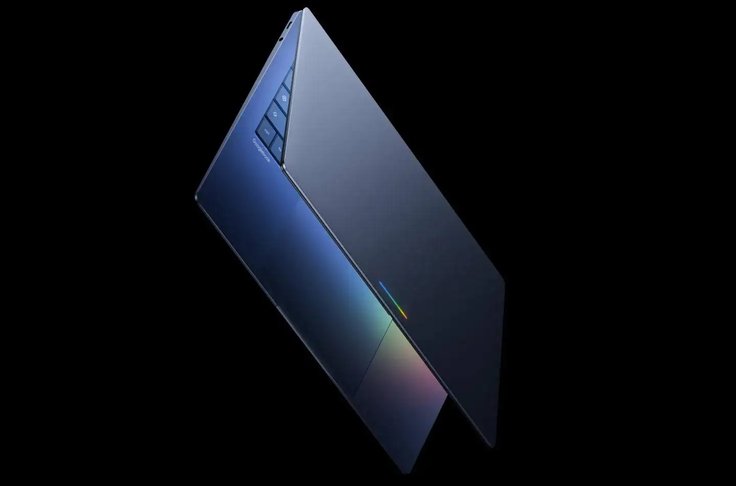
Google offered several example use cases: pointing at a date in an email to create a calendar event, or selecting two images to merge them into a single visualization.
Another feature, Create My Widget, lets users build personalized desktop widgets that can pull data from the web, Gmail, Google Calendar, and other Google services. According to Google, Googlebooks will integrate tightly with Android smartphones. The first devices are expected to launch in the fall of 2026.
Gemini in Chrome
Chrome for Android will gain full integration with the Gemini chatbot. While the Android assistant already works with mobile Chrome to summarize pages, Gemini will now be built directly into the browser itself.
A dedicated Gemini button will appear next to the address bar. Tapping it opens a bottom panel where users can ask questions about the current page, request summaries, or get explanations. Gemini can also add events to Google Calendar, save recipe ingredients to Keep, search through Gmail, and use Nano Banana integration to generate infographics and visualizations.
Another major addition is auto browse. The feature allows Gemini in Chrome to scroll pages, click elements, and enter text on its own to complete tasks for the user, such as finding parking based on a ticket email or updating an order in an online store.
New security and privacy features
One of the most significant changes affects Find Hub. The Mark as Lost function will now require biometric authentication, asking users to enter a PIN or password and confirm the action via fingerprint or face recognition.
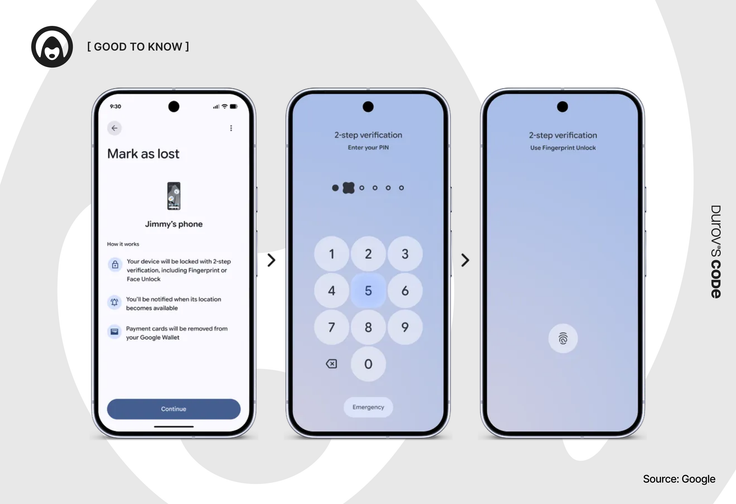
Once a device is marked as lost, Android will hide quick settings and disable the ability to connect to new Wi-Fi networks or Bluetooth devices. This is designed to prevent thieves from quickly changing key settings or moving the device out of tracking range.
The system will also reduce the number of PIN or password attempts allowed and increase the delay between failed attempts. Another feature will display the device IMEI directly on the lock screen for devices running Android 12 or newer, helping police, manufacturers, and carriers verify ownership and return lost devices more quickly.
New emojis
Android 17 introduces a redesigned set of 3D emojis. The new Noto 3D collection features more dimensional designs with added textures and depth effects.
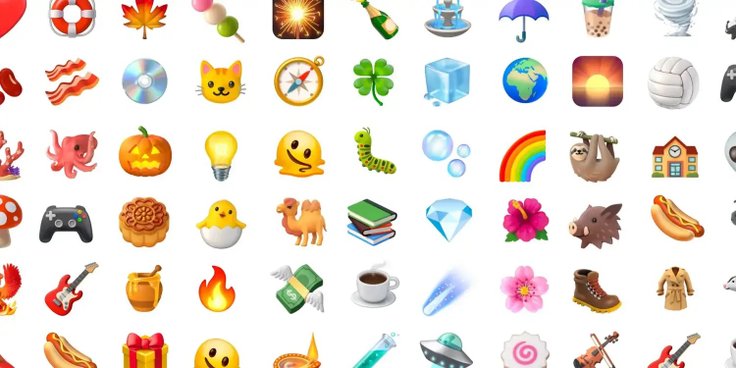
The emojis are less cartoonish than their predecessors and more closely resemble those used on iPhones and Samsung devices, which should make cross-platform messaging visually more consistent. The Noto 3D collection will first appear on Pixel smartphones before rolling out to other devices.
Android Auto
One of the headline changes is support for video apps. Later this year, Android Auto will begin supporting apps like YouTube with Full HD video at 60 FPS in compatible vehicles. The first brands to support the feature include BMW, Ford, Genesis, Hyundai, Kia, Mahindra, Mercedes-Benz, Renault, Škoda, Tata, and Volvo.
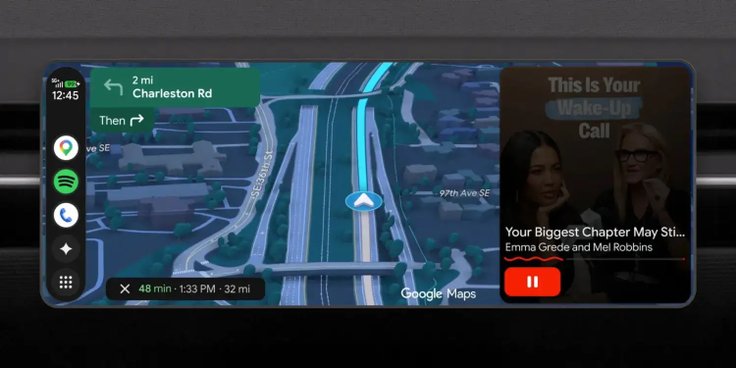
Video playback will be limited to safe scenarios. When the car shifts from park to drive, Android Auto will automatically switch these apps to audio-only mode. Google has already begun a limited rollout of this mode for YouTube.
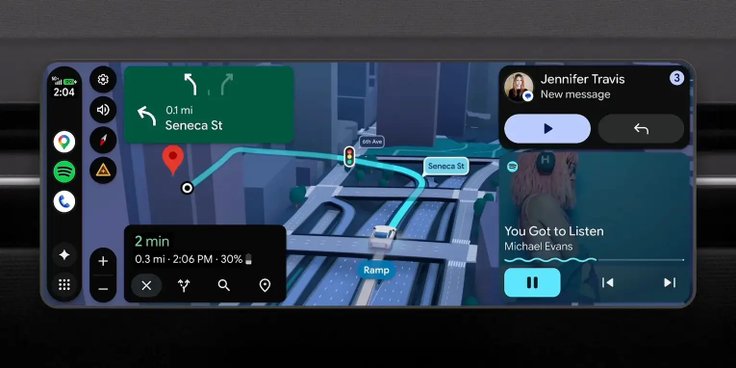
Android Auto will also gain Dolby Atmos support in compatible apps and vehicles. Google Maps Immersive Navigation will expand to more cars, and vehicles with Google built-in will gain advanced lane navigation powered by the car's front-facing camera.
Adobe Premiere on Android
Adobe Premiere, the company's video editing application, is set to launch on Android in summer 2026.
Expanded AirDrop support
Google is expanding file-sharing compatibility between Quick Share on Android and AirDrop on iPhone. In 2026, the feature will become available on devices from more manufacturers, including Oppo, OnePlus, Vivo, Xiaomi, and Honor. Samsung is also mentioned, likely referring to devices beyond the Galaxy S26, which is already supported.
Google has also added a workaround for users without full AirDrop support. Starting today, Quick Share on any Android device can generate a QR code to send files to an iPhone via the cloud. Quick Share will also begin appearing inside third-party apps, with WhatsApp as the first partner.
Switching from other operating systems to Android will also become easier. The data migration app will now automatically download passwords, apps, photos, and eSIM data to the new device. Google has not yet disclosed exact timing for this feature.




Editor’s pick