18:26
Telegram launches Money, its built-in crypto wallet: Here's how it works

15:05
Telegram Desktop vulnerability allowed attackers to steal files with one click

12:33
Anthropic will ban repeated abuse of Claude under new usage rules

12:02
Apple could unveil its first touchscreen MacBook Pro on October 27

11:46
Meta bans TikTok ads on Facebook and Instagram in seven countries

11:25
Apple reportedly cuts iPhone 18 Pro orders just weeks after launch
18:26
Telegram launches Money, its built-in crypto wallet: Here's how it works
15:05
Telegram Desktop vulnerability allowed attackers to steal files with one click
12:33
Anthropic will ban repeated abuse of Claude under new usage rules
12:02
Apple could unveil its first touchscreen MacBook Pro on October 27
11:46
Meta bans TikTok ads on Facebook and Instagram in seven countries
11:25
Apple reportedly cuts iPhone 18 Pro orders just weeks after launch
18:26
Telegram launches Money, its built-in crypto wallet: Here's how it works
15:05
Telegram Desktop vulnerability allowed attackers to steal files with one click
12:33
Anthropic will ban repeated abuse of Claude under new usage rules
12:02
Apple could unveil its first touchscreen MacBook Pro on October 27
11:46
Meta bans TikTok ads on Facebook and Instagram in seven countries
11:25
Apple reportedly cuts iPhone 18 Pro orders just weeks after launch
18:26
Telegram launches Money, its built-in crypto wallet: Here's how it works
15:05
Telegram Desktop vulnerability allowed attackers to steal files with one click
12:33
Anthropic will ban repeated abuse of Claude under new usage rules
12:02
Apple could unveil its first touchscreen MacBook Pro on October 27
11:46
Meta bans TikTok ads on Facebook and Instagram in seven countries
11:25
Apple reportedly cuts iPhone 18 Pro orders just weeks after launch


At WWDC 26, Apple introduced a set of new features designed to help parents set up devices for their children in a safer and more flexible way.
The update focuses on a simpler process for creating a child account, more granular control over apps and websites, time-based restrictions, communication management, and a redesigned Screen Time experience.
Child account
Apple describes the creation of a child account as the first and most important step in tailoring a device to a child's age. Such an account comes with system-level restrictions, including the blocking of adult sites, access limited to age-appropriate content, and age-based filters in the App Store.
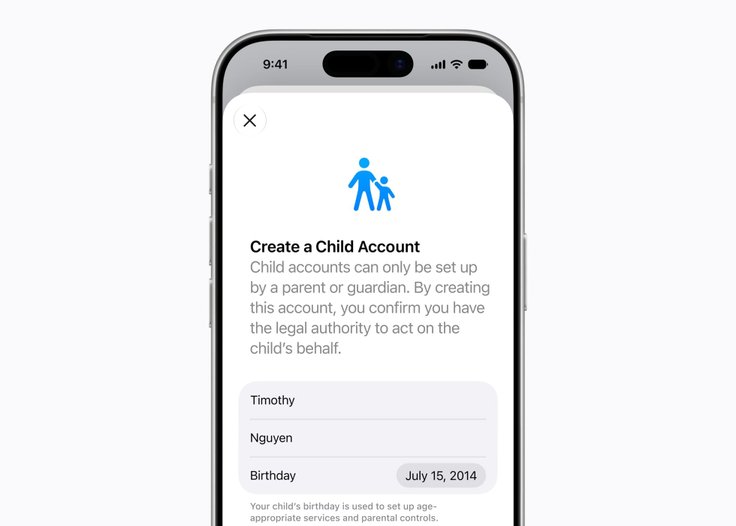
A child account is now mandatory for users under the age of 13 and is also available for users up to 18 years old. When parents set up a new device for a child, the system will prompt them to create the account during the initial setup process.
Which apps and websites a child can access
Once the child account is created, parents will be able to decide which apps are available to the child from the start. They can choose to keep only a few essential apps, select from a recommended set, or manually approve only those apps they consider appropriate.
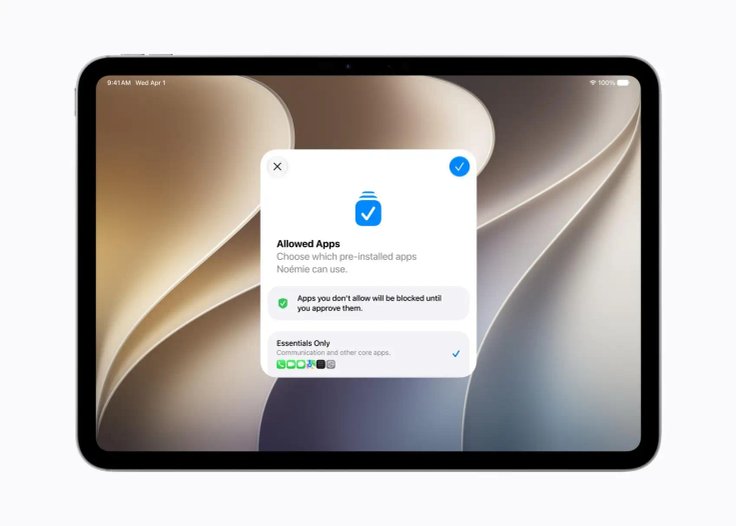
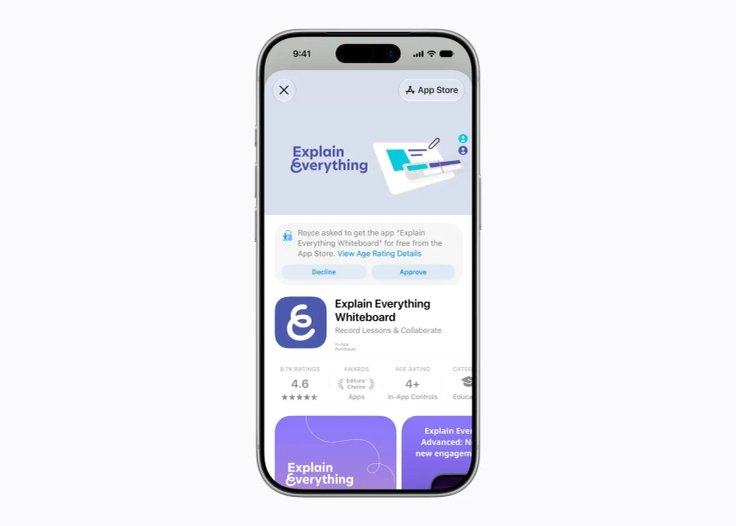
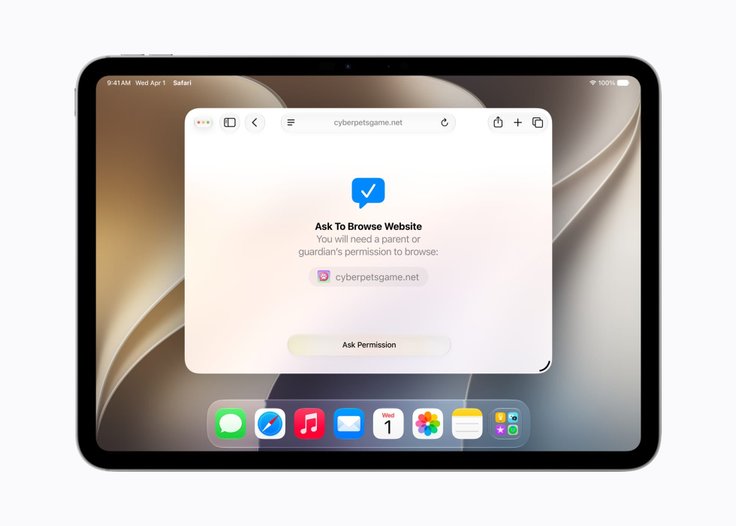
- The list can be expanded gradually over time. The existing Ask to Buy feature already requires the child to request permission before downloading an app from the App Store or making an in-app purchase.
- A new feature called Ask to Browse extends the same principle to the web. The feature will require parental approval before the child can visit a new website in Safari. It will be available on iPhone, iPad, and Mac.
Who a child can communicate with
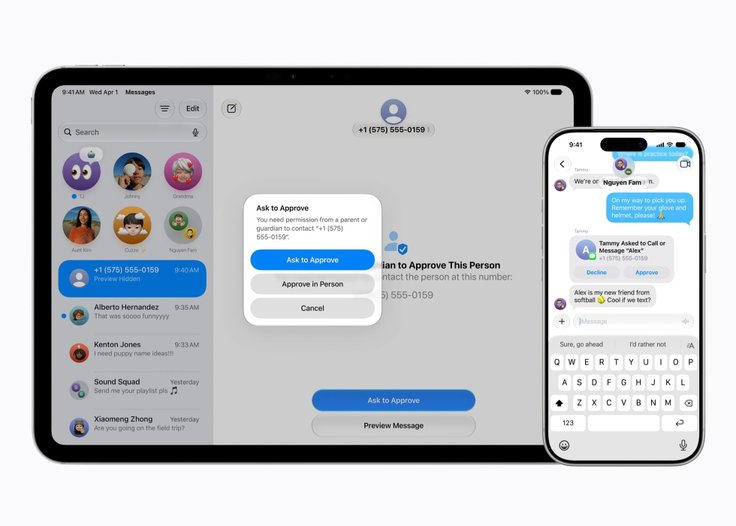
Parents will gain more control over who their children can contact through Messages, FaceTime, and regular phone calls. If a child wants to add a new contact, parents can configure the system to require their approval before that contact is added.
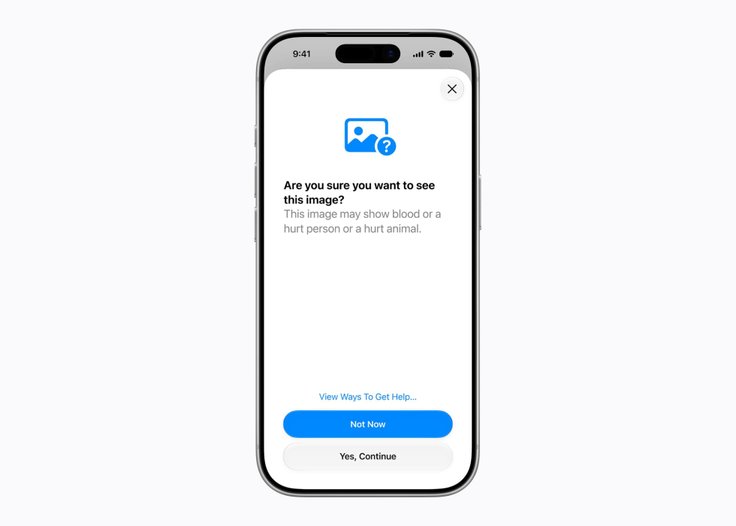
- Apple is also expanding its Communication Safety feature. The system currently blurs images containing nudity in Messages and FaceTime and is enabled by default for users under the age of 18.
- The feature will now also intervene when violent or graphic content is detected in shared images and videos.
When a child can use apps
A new feature called Time Allowances gives parents more flexible control over time spent in apps by category, including Entertainment, Games, and Social Networking.
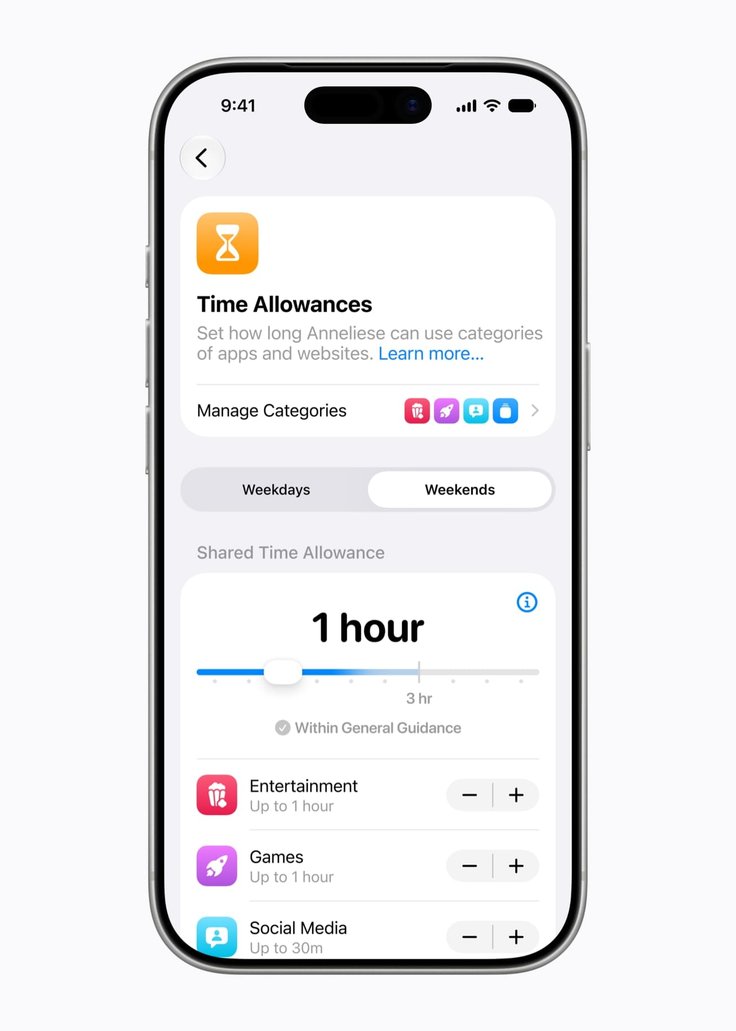
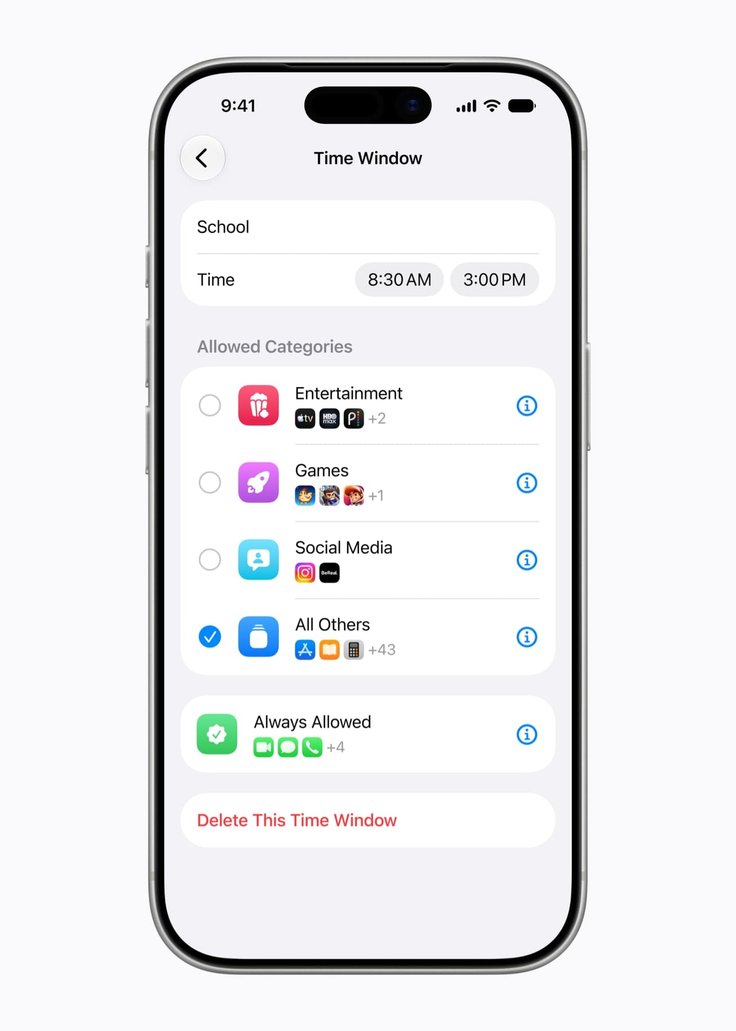
During setup, Apple will provide recommendations based on research and the child's age. Parents will still be able to adjust the limits manually if they prefer different values.
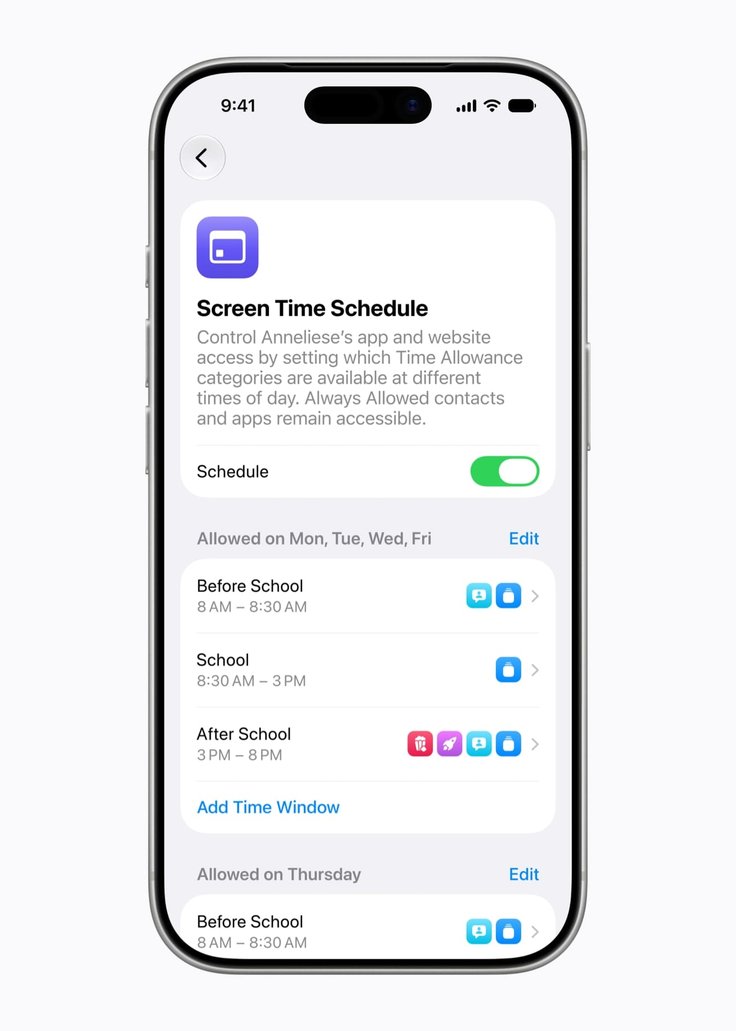
The update also introduces daily schedules. Parents will be able to configure which apps are available to the child at different times of day and on different days of the week. The feature can be used, for example, to limit access to distracting apps during school hours.
Redesigned Screen Time
Apple has also overhauled the Screen Time interface. Parents will now be able to see at a glance how much time the child spends on the device on average and which apps are used most often.
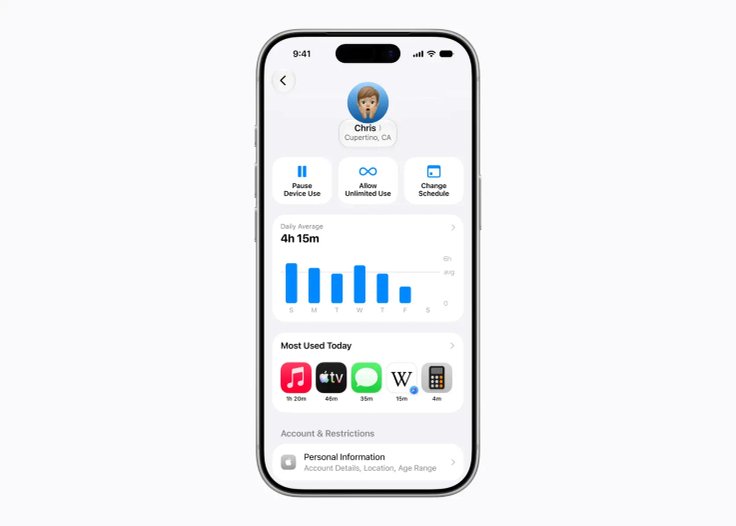
The same interface allows for quick adjustments to app and website access. Parents can, for example, temporarily restrict device use during meals, walks, or family time. If the child needs a bit more time to finish something inside an app, access can be extended directly from the screen.
Additional changes
Apple says the new features were developed in consultation with experts in online safety, health, and child development.
The company has also launched a dedicated website for parents that brings together tools, resources, and answers to common questions, such as where to start when setting up a child's device.
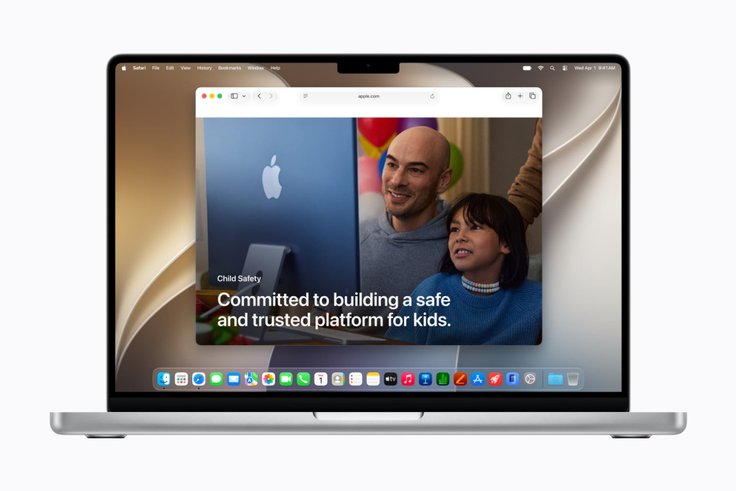
Apple has also reminded users of the existing safety features available on its platforms. These include notifications when the Screen Time passcode is entered on the child's device, tools for reporting harmful content, and Apple Watch For Your Kids, a mode that allows children to use an Apple Watch without their own iPhone.
Through Apple Watch, parents can stay in touch with the child and view their location via Find My, while the child can make calls, send messages, and use maps, music, and other apps. The Schooltime mode is designed to minimize distractions during school by turning off notifications and blocking apps.
Developer tools
Apple is also expanding the toolkit available to developers, allowing apps to better adapt to a child's age.
- SensitiveContentAnalysis helps protect children from inappropriate content such as violence or nudity.
- PermissionKit allows developers to request parental approval when new contacts are added inside apps.
- The Declared Age Range API gives apps the ability to request a child's general age range and adjust the experience accordingly, without exposing the exact date of birth.
Release timing
The new features will become available with the Screen Time update in iOS 27, iPadOS 27, and macOS 27. Apple has noted that the final set of features may still change before launch.









Editor’s pick