14:26
Australia prepares legal action against social media giants over under-16 ban

13:54
You can reserve Tesla’s new Roadster in the UAE for Dh210,000

12:49
Is AI getting out of control? Kaspersky on the risks that matter

18:26
Telegram launches Money, its built-in crypto wallet: Here's how it works

15:05
Telegram Desktop vulnerability allowed attackers to steal files with one click

12:33
Anthropic will ban repeated abuse of Claude under new usage rules
14:26
Australia prepares legal action against social media giants over under-16 ban
13:54
You can reserve Tesla’s new Roadster in the UAE for Dh210,000
12:49
Is AI getting out of control? Kaspersky on the risks that matter
18:26
Telegram launches Money, its built-in crypto wallet: Here's how it works
15:05
Telegram Desktop vulnerability allowed attackers to steal files with one click
12:33
Anthropic will ban repeated abuse of Claude under new usage rules
14:26
Australia prepares legal action against social media giants over under-16 ban
13:54
You can reserve Tesla’s new Roadster in the UAE for Dh210,000
12:49
Is AI getting out of control? Kaspersky on the risks that matter
18:26
Telegram launches Money, its built-in crypto wallet: Here's how it works
15:05
Telegram Desktop vulnerability allowed attackers to steal files with one click
12:33
Anthropic will ban repeated abuse of Claude under new usage rules
14:26
Australia prepares legal action against social media giants over under-16 ban
13:54
You can reserve Tesla’s new Roadster in the UAE for Dh210,000
12:49
Is AI getting out of control? Kaspersky on the risks that matter
18:26
Telegram launches Money, its built-in crypto wallet: Here's how it works
15:05
Telegram Desktop vulnerability allowed attackers to steal files with one click
12:33
Anthropic will ban repeated abuse of Claude under new usage rules

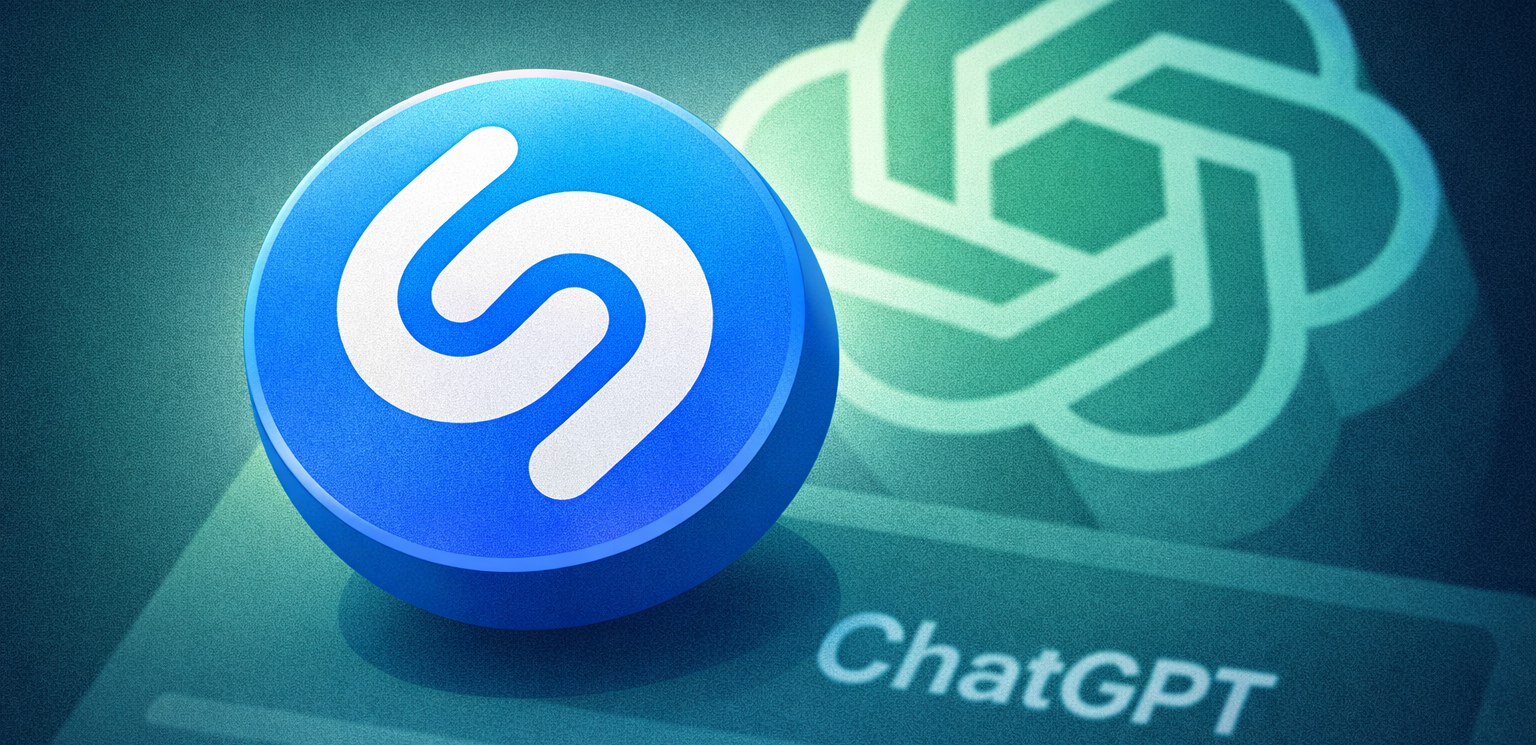
Shazam is now integrated directly into ChatGPT, allowing users to identify songs without opening the Shazam app. The feature works across iOS, Android, and the web and uses the same recognition technology that powers Apple’s music discovery service.
Here is how to start using it.
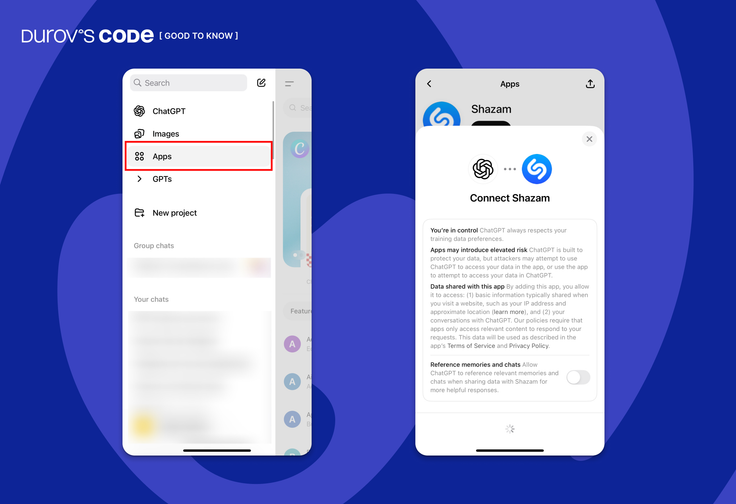
1. Open ChatGPT settings
To enable the feature, open ChatGPT and navigate to Settings → Apps.
In the Apps section, search for Shazam and connect it to your ChatGPT account.
2. Start a Shazam request in chat
Once the integration is enabled, you can activate Shazam directly inside a conversation.
Type a prompt such as:
- “Shazam, what’s playing?”
- “Shazam, what is this song?”
- @Shazam identify this song
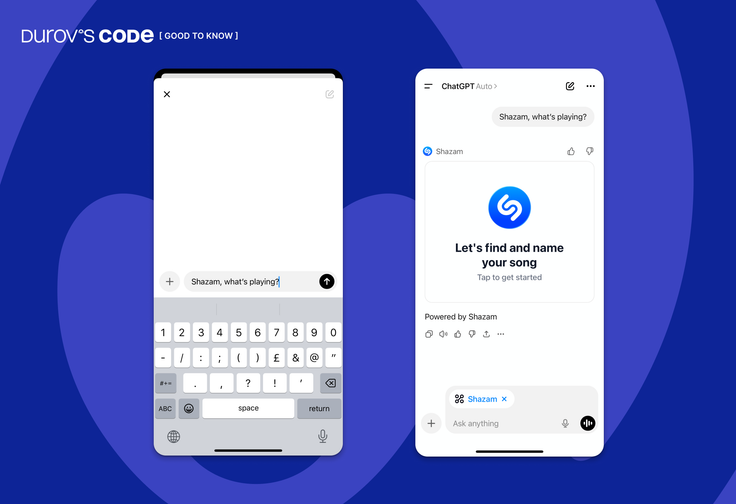
ChatGPT will open a Tap to Shazam interface that listens to the audio around your device.
3. Get song details instantly
After identifying the track, ChatGPT displays a result card containing:
- song title
- artist name
- album artwork
- Shazam popularity statistics
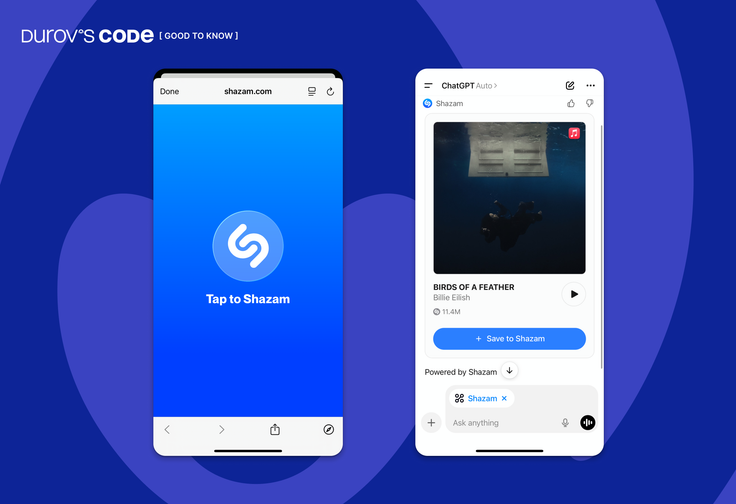
You can also preview the track directly in the chat.
4. Save songs to your Shazam library
If the Shazam app is installed on your device, identified songs can be automatically saved to your Shazam library.
If the app is not installed, the feature still works inside ChatGPT.
5. Continue the conversation
One advantage of the integration is that users can continue interacting with ChatGPT after identifying the track.
For example, you can ask the AI to:
- create a playlist inspired by the song
- suggest similar artists
- explain the meaning of the lyrics
- find more music in the same genre
Where the feature works
The Shazam integration is rolling out globally and works on:
- ChatGPT for iOS
- ChatGPT for Android
- ChatGPT web version









Editor’s pick